
A focused workflow for preparing eligible Shopify orders
Shopify supports fulfillment and ship-from-store workflows. Snap Retail Metrics adds a dedicated picking view for teams that want order claiming, barcode checks, assigned-location awareness, and a focused activity history on compatible handhelds.
How the picking workflow works
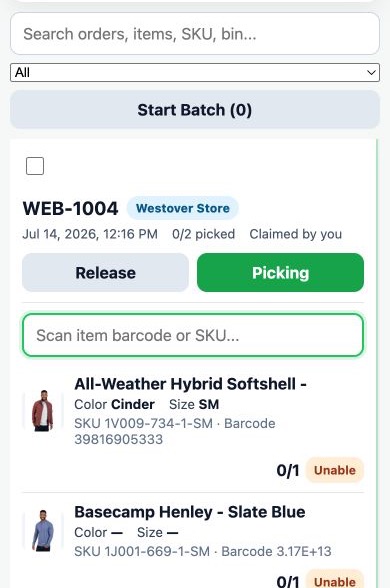
- Review eligible work. Pickers see supported unfulfilled orders based on the account’s connected location settings and current Shopify data.
- Claim an order. A claim shows teammates that the order is already being worked, helping reduce duplicated effort.
- Scan required items. Barcode checks compare scanned products with the order’s remaining line items and flag a mismatch.
- Complete supported fulfillment. When the required items are verified, the picker can complete the eligible workflow through Shopify’s assigned location.
Accountability without broad administration access
Picker access focuses on the work queue. Owner, Admin, and Viewer users can review recent order, employee, status, and timestamp details in the responsive web picking reports. The workflow is intended to improve visibility; it does not guarantee perfect fulfillment or replace staff training and final packing checks.
Works with Shopify’s routing—not instead of it
Shopify remains responsible for order records, inventory, routing, and fulfillment state. Snap Retail Metrics respects the connected data and account permissions; it does not promise to override Shopify’s routing decisions.